 ETW

Last updated: October 12, 2026
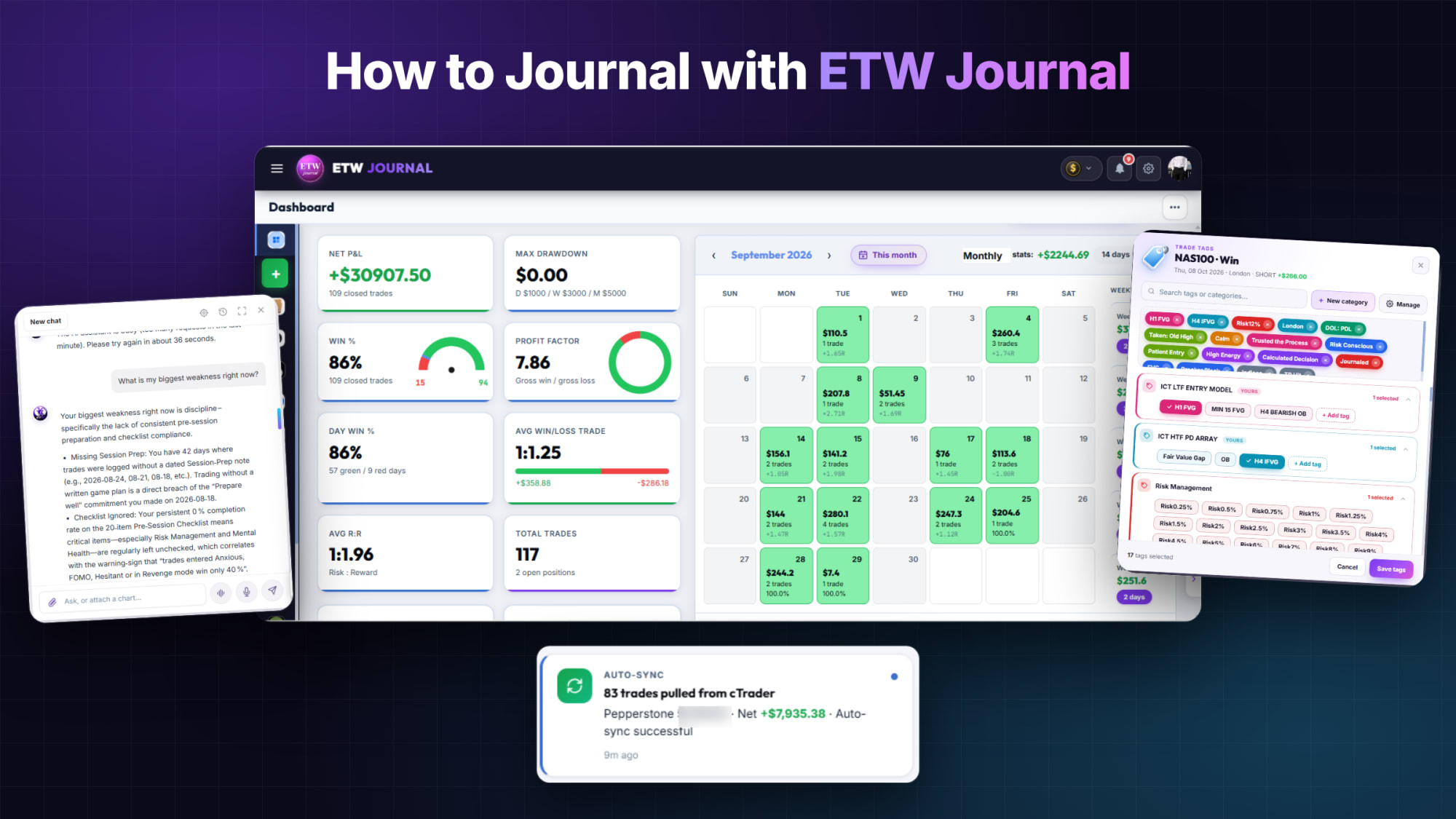
A trading journal only works if you keep using it. Most traders start strong, write paragraphs for a week, then stop. Others log entries and exits but never write down why they took a trade, so their journal can't teach them anything. ETW Journal is built to fix both problems: it records the numbers for you, so your time goes into the part only you can write, which is the thinking behind each trade.
This guide walks through the whole routine, from connecting your account to the weekly review that turns your journal into a real edge.
The short version: connect your account once, then for every trade add 3 to 5 tags, a short written review and at least 3 screenshots. Prep before each session, and review once a week. That's it.
Step 1: Connect Your Account So the Numbers Log Themselves
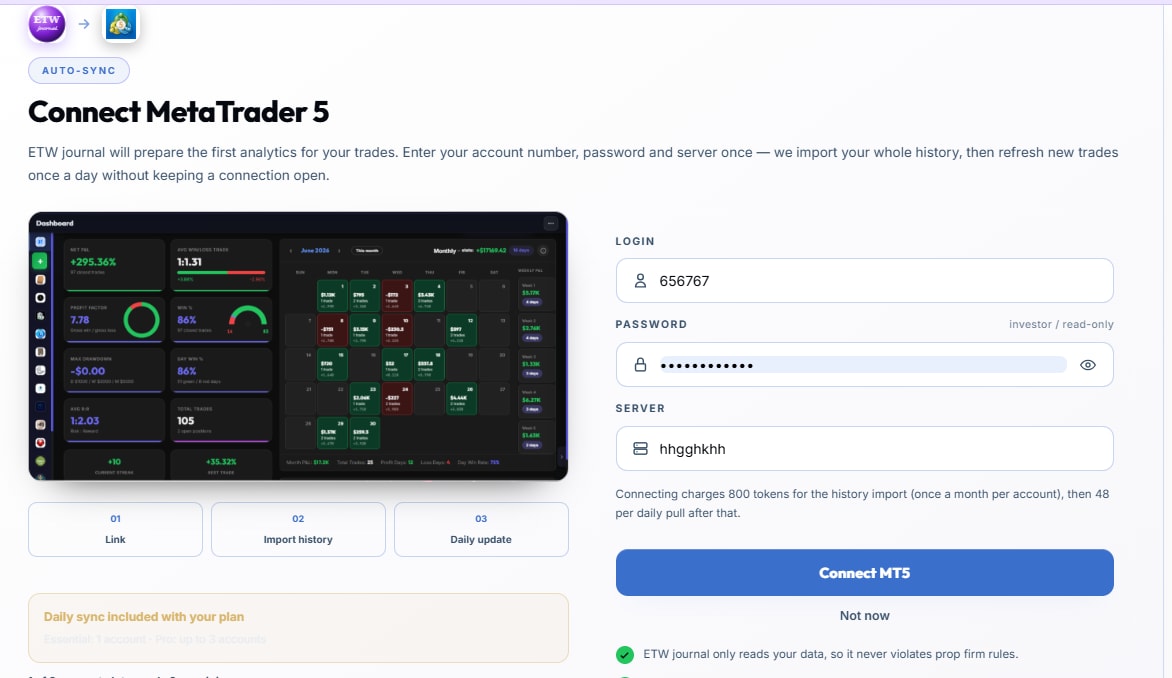
The fastest way to quit journaling is to spend 20 minutes typing in prices. Skip that entirely. ETW Journal connects to MetaTrader 5, MetaTrader 4, cTrader, TradeLocker and DXtrade. Your history imports first, then every new closed trade syncs automatically with its entry, exit, size and P&L.
- Essential plan: broker sync for cTrader, TradeLocker and DXtrade, plus MT5 / MT4 EA live sync and history import.
- Pro plan: everything above, plus MT5 / MT4 direct connect with your login and server.
- Manual: trading somewhere else? Use Add Trade to log instrument, direction, entry, stop, target, size and P&L. R:R, pips, points and ticks are calculated for you.
The connection is read-only. ETW Journal can see your trade history, but it can never place trades or move funds. If you trade several accounts (live, funded, demo), add them all and switch between them in one click.
Step 2: Prepare Before the Session
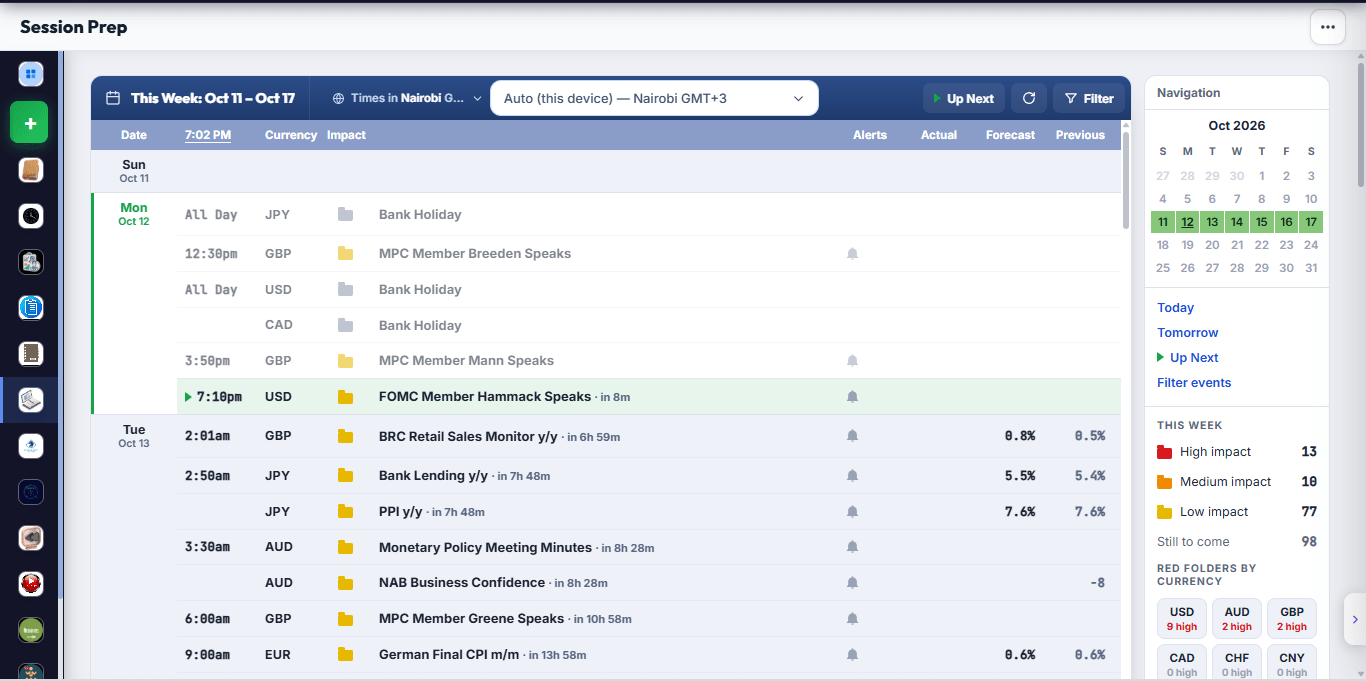
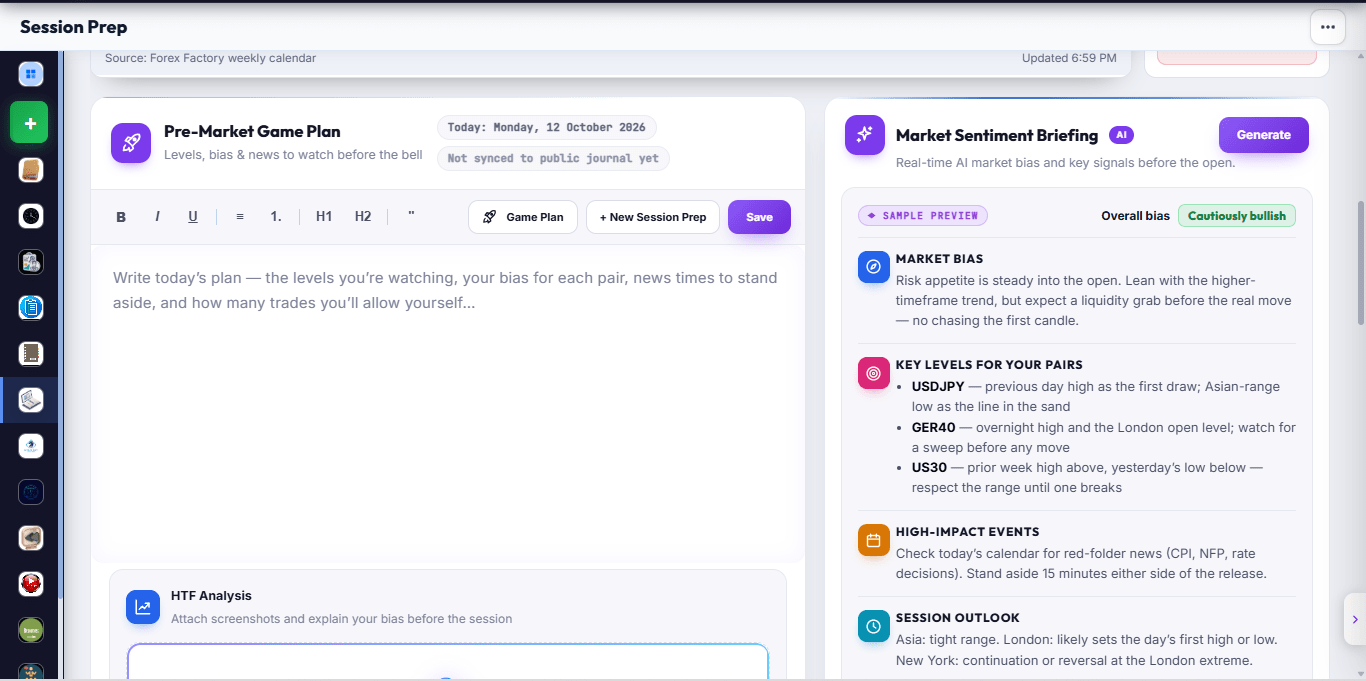
Good journaling starts before the first trade. Open Session Prep and spend five minutes on your Pre-Market Game Plan:
- Check the built-in economic calendar for high-impact news in your time zone.
- Write your bias for the day and the key levels you're watching.
- Name the playbook setups you're allowed to take today.
- Set your maximum loss for the session.
When a trade goes wrong later, your prep tells you whether the problem was the plan or the execution. That's a question your P&L alone can never answer.
Step 3: What to Write After Every Trade
Once a trade syncs, open it and fill in the context. The numbers are already there; you only add what the platform can't see. Keep it short and consistent. A good entry takes two to three minutes.
| Field | What to write | Example |
|---|---|---|
| Setup / playbook | Which of your strategies this trade belongs to | London FVG retest |
| Reason for entry | One or two sentences on what you saw | Swept Asian low, displaced up, entered on FVG |
| Followed the plan? | Yes / no, and which rule you broke if no | No: entered before confirmation |
| Emotion | How you felt going in and during the trade | Impatient after missing the first move |
| Mistakes | Anything you'd do differently | Moved stop to breakeven too early |
| Lesson | One takeaway you can act on next time | Wait for the candle to close before entry |
Notice that none of these require a long essay. A single honest sentence per field beats a page of venting you'll never reread.
Step 4: Tag Every Trade (3 to 5 Tags)
Tags are what make your journal searchable, and they carry the most weight in your journal score. Aim for three to five per trade, drawn from a small, consistent list:
- Setup: the model you traded (e.g. FVG, breaker, liquidity sweep).
- Session: Asia, London, New York.
- Execution quality: A+ setup, B setup, forced.
- Emotion: FOMO, revenge, calm, hesitant.
- Mistake: early entry, moved stop, oversized.
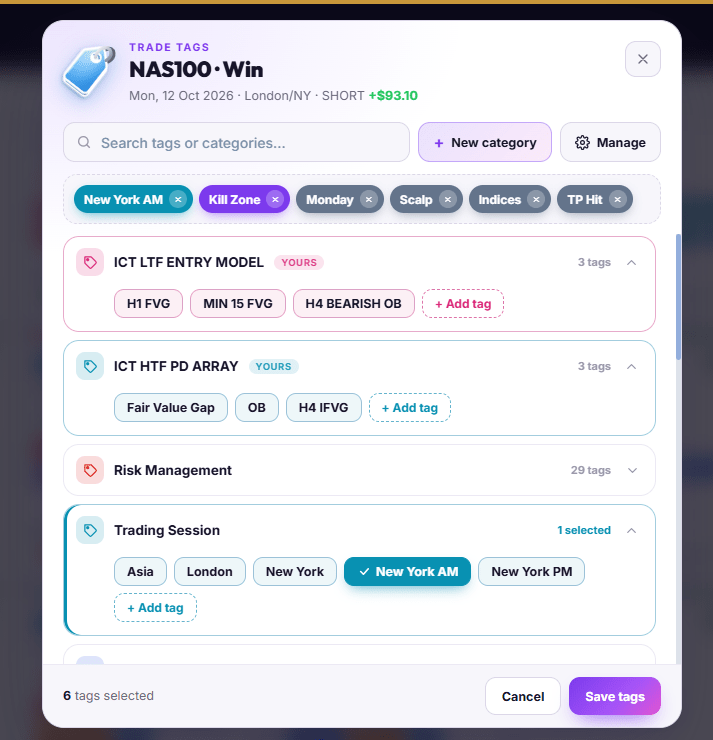
Don't invent a new tag every day. If "FOMO" and "chased entry" mean the same thing to you, pick one. Inconsistent tags split your data and hide the patterns you're looking for.
Step 5: Add Screenshots (and Use Trade Replay)
Your memory of a trade changes within hours. Screenshots don't. Attach at least three to every trade:
- Higher-timeframe context showing your bias and key levels.
- Entry chart showing exactly what you saw when you clicked buy or sell.
- Result chart showing how price played out after your exit.
On the Pro plan, Trade Replay takes this further. Step through any trade bar by bar with your real entry, exit, stop and target on the chart, from 1m up to 1D. It's the quickest way to spot the hesitation, the early exit or the level you should have respected.
Step 6: Build Playbooks and Track Your Rules
A playbook turns a setup into a checklist. Create one for each strategy you trade, write its rules, then link trades to it. ETW Journal tracks how closely you follow each rule and shows the follow rate, net P&L, profit factor and win rate per rule and per playbook.
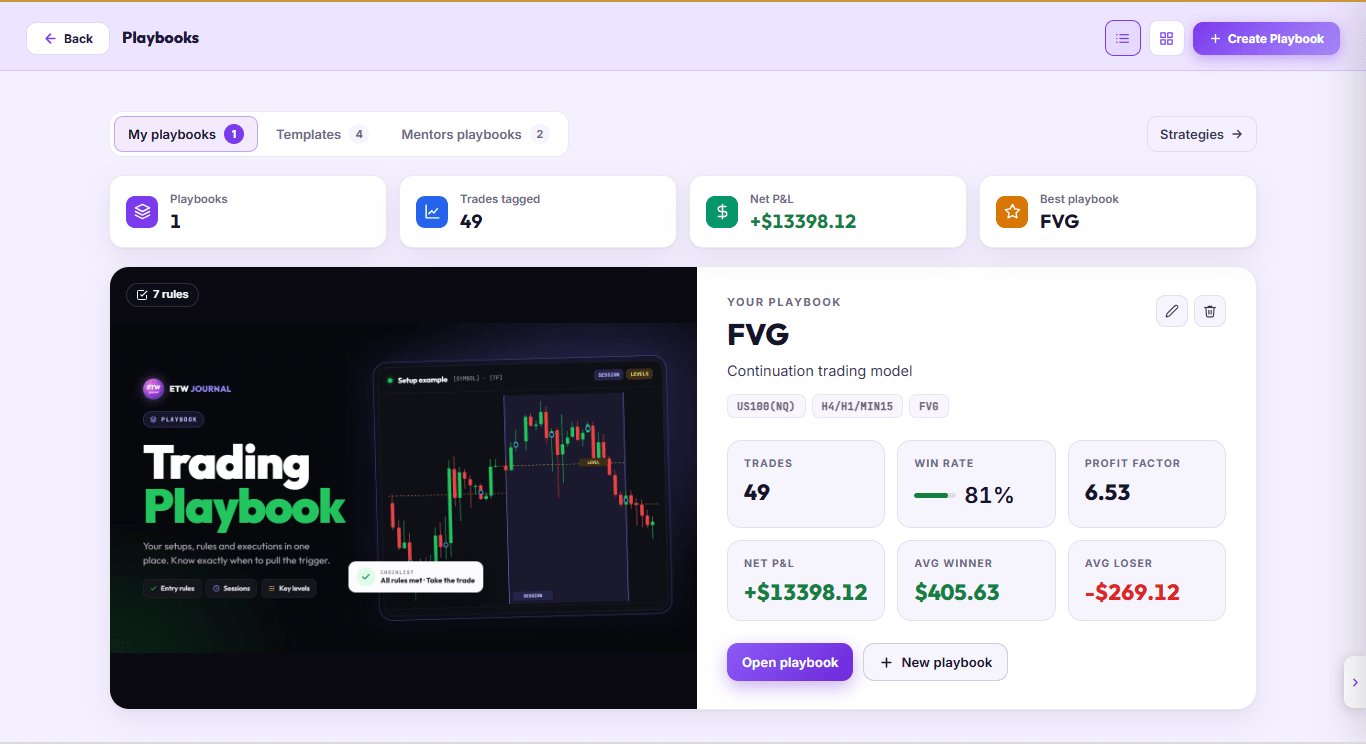
This is where journaling pays off. The rule compliance report compares trades where you followed your plan with trades where you broke it. If the "followed" column makes money and the "broke" column doesn't, you have proof that your problem is discipline, not strategy.
Not sure where to start? Open a mentor playbook or a template and adapt it to how you trade.
Step 7: Write a Daily Note
At the end of each trading day, write a few lines in your daily note: how you felt, whether you respected your max loss, and one thing to carry into tomorrow. Days with no trades count too. Sitting out a bad session is a decision worth recording.
Step 8: Review Weekly
Journaling without review is just record keeping. Block 30 minutes at the end of each week and work through this list:
- Trade calendar: look at the colored month view. Are losses clustered on certain days or after a big loss?
- Reports: check net P&L by instrument, weekday and session. Drop what consistently costs you.
- Tags: filter by your emotion and mistake tags. Which one cost the most this week?
- Playbooks: which setup had the best profit factor? Which rule did you break most often?
- One change: pick a single adjustment for next week and write it in your notebook.
Pro users can ask ETW AI plain-language questions like "Which setup makes me the most money in the London session?" or "Do I lose more after skipping session prep?" The answers come straight from your own trades and notes.
How to Avoid Writing Too Much (or Too Little)
The right amount is whatever you can keep doing every day for a year. A practical target:
- Before the session: 5 minutes of prep.
- Per trade: 2 to 3 minutes for tags, the review fields and screenshots.
- End of day: 3 lines in your daily note.
- End of week: 30 minutes of review.
If you find yourself writing long paragraphs about one trade, move the big lesson into your notebook and keep the trade entry short.
Bonus: Journal Well and Win a Funded Account
Every month, ETW Journal runs Monthly Winners. It isn't about profit or trade count: each trade is scored out of 100 on how thoroughly it's journaled, and your score is the average. Tags, written reflection, screenshots, trade details, session prep, daily notes and your notebook all count. The top 2 journalers each month win a funded prop-firm account.
In other words, the habits in this guide are exactly the habits that move you up the leaderboard. Check your live rank card inside the app to see where you stand. (18+ only; requires an active paid plan for the whole month, a public leaderboard profile and at least 5 journaled trades. See the full official rules.)
Frequently Asked Questions
Do I have to log trades manually?
No. Connect MT5, MT4, cTrader, TradeLocker or DXtrade and trades sync automatically. You can still use Add Trade for anything you trade elsewhere.
Can ETW Journal touch my money?
No. Connections are read-only. ETW Journal can see your trade history but can never place trades or move funds.
How long should journaling take each day?
For most traders, 10 to 20 minutes including prep, a few trades and a daily note. The weekly review adds about 30 minutes.
Can a mentor see my journal?
Yes, with Mentor Mode on the Pro plan. Your mentor sees your stats, trades, playbooks and journal, and can chat with you about them inside ETW Journal.
What's the single most important habit?
Writing down whether you followed your plan on every trade. It's the one field that separates a strategy problem from a discipline problem.
Ready to start? Sign up, connect your account, and journal your next trade using the checklist above. Your first report is less than five minutes away.